
In this article

Product updates
Your AI agent ships silent PII
The most dangerous field in your tracking plan is blank. New PII classification turns it into a declaration, so humans and agents stop guessing.
Picture adding a Buy Now button that checks out in one tap. An engineer asks their AI agent to wire up the tracking, and it does a good job: it reads your plan, sees the button starts a checkout, and reuses your existing Purchase Started event instead of inventing a new one.
Purchase Started sends a Search Query property, the text a shopper typed to find the product. The agent weighs it, figures a search box is harmless, and ships. But people type anything into search: their name, a friend's email, the medical product they're quietly shopping for. Your consent flow treats that as personal data, the kind some users declined. The button collects it from them anyway, and a promise you made is broken.
Nothing in the plan said Search Query was personal, so nothing caught it. That's silent PII: personal data flowing through your events that no one has classified. A human keeps some of that context in their head; an agent has none, so it's the agent's default. And it leaves you unable to answer the one question a governance team lives on: which of our events carry personal user data, and did the user in question agree to it?
The fix: classify PII in the plan itself
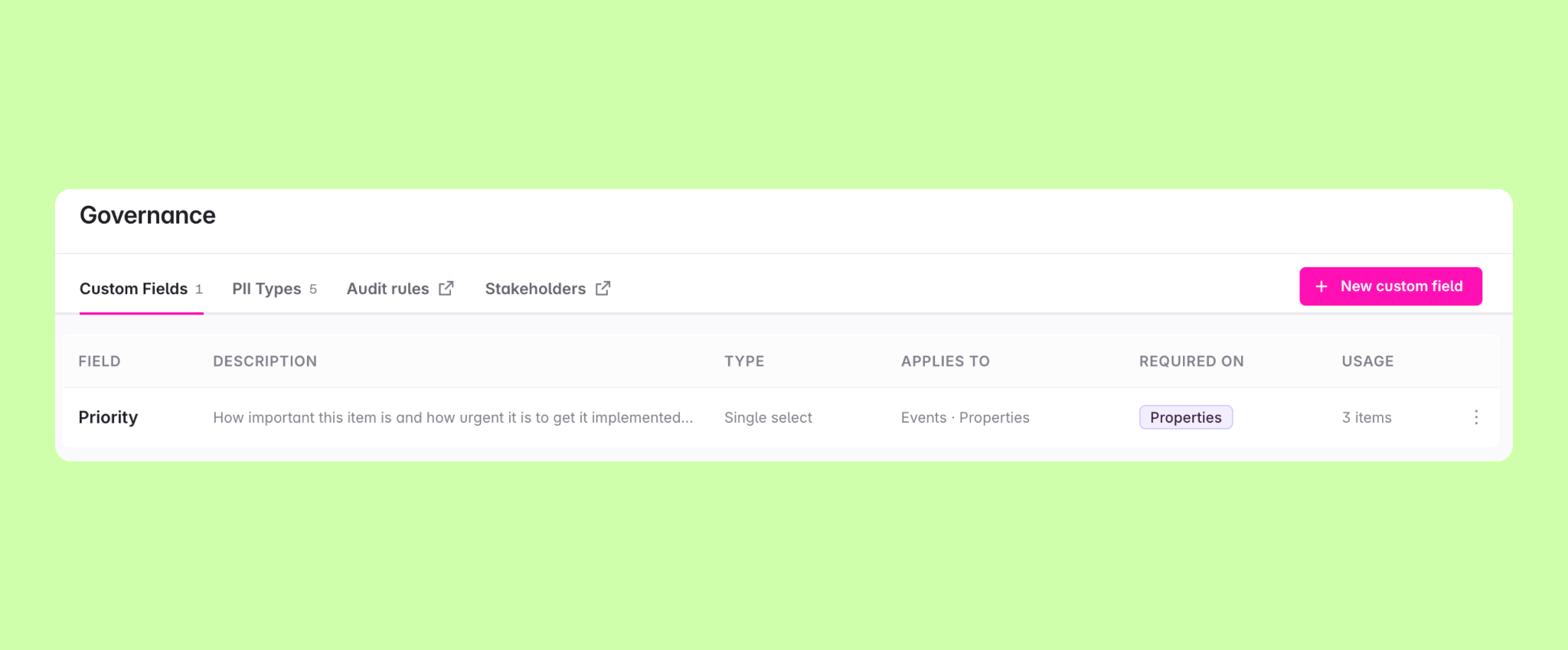
Avo is the data governance platform that keeps every event defined consistently and trusted across teams. Your tracking plan is the single source of truth for what your data means, and it now has a Governance page for two new things: PII Types and Custom Fields.
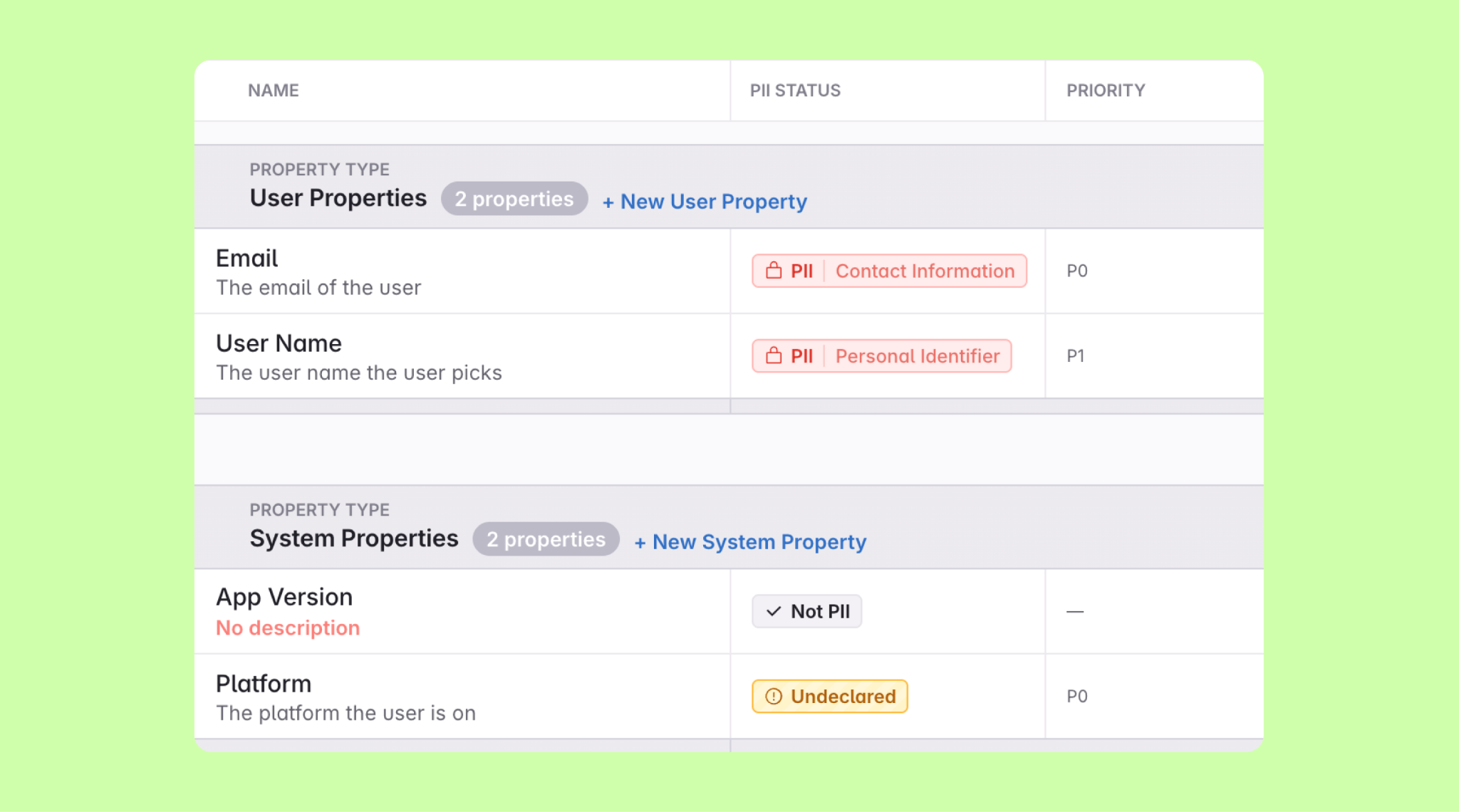
PII Types give every property one of three states: Undeclared, Not PII, or PII with a type. The line that matters isn't PII vs not. It's "Undeclared" (nobody looked) vs "Not PII" (someone checked and cleared it). That one ambiguous blank becomes two states your audit rules can catch, and silent PII gets surfaced before it ships. Custom Fields do the same for the rest of your metadata: typed fields like Priority or lifecycle stage, required per item, each with its own column and filter, instead of a value buried in a free-text tag. Make one required and every new event has to fill it in, so "what's the lifecycle stage?" or "what's the priority?" gets answered in the plan instead of chased down later.
See your PII, review less, keep your promises
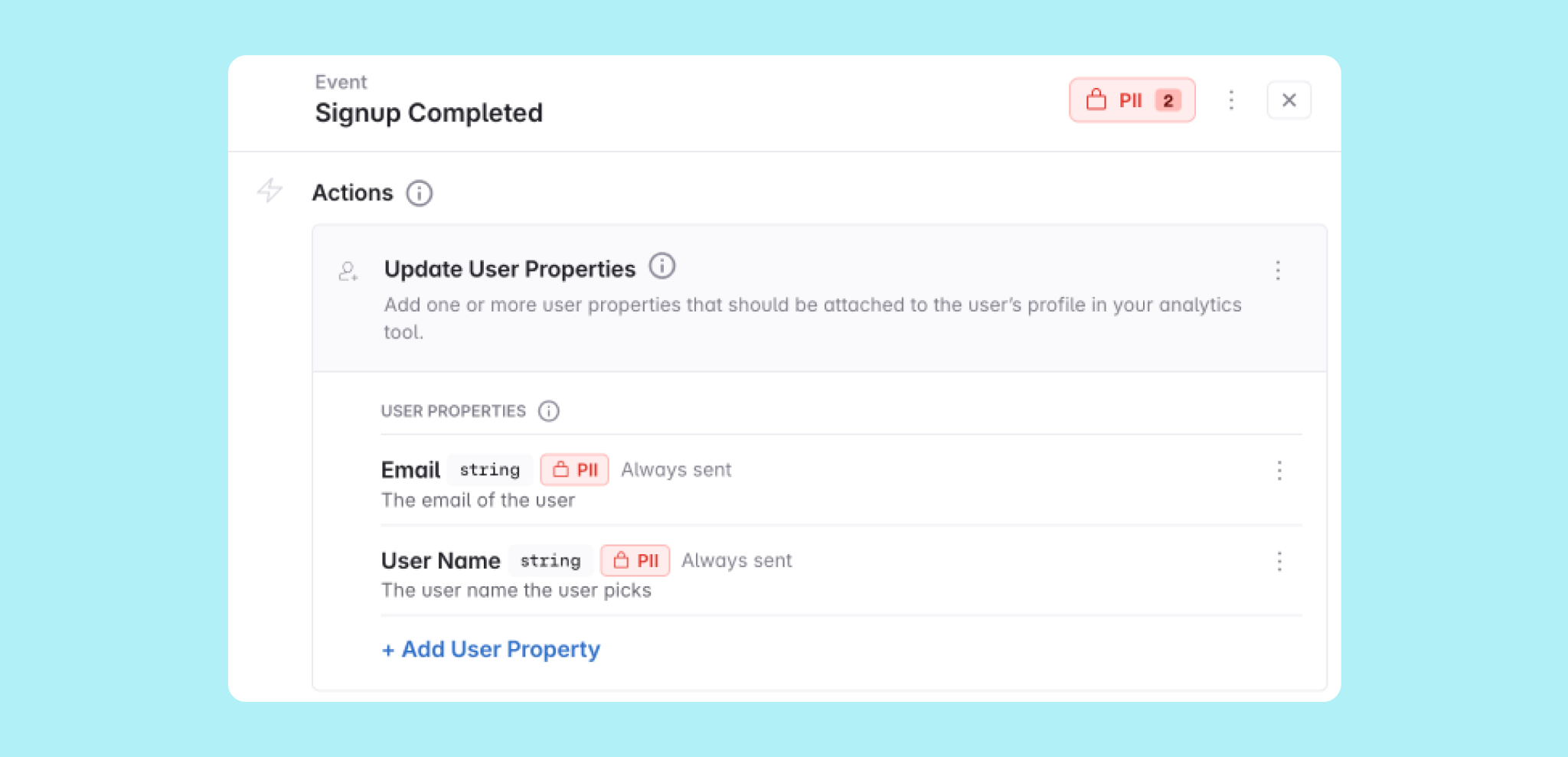
Everyone can see exactly what's personal data. Each property declares its PII status in the plan, and every event rolls up a "Contains PII" count from its properties, computed for you. A human scanning the plan sees which events carry PII instead of guessing, and an agent reading the same plan through the Avo MCP, the connection your agents use to read and write it, sees the very same thing.
Your governance team can stop reviewing every change. Changes land on a branch and get reviewed in the diff, so a wrong "Not PII" call is caught before it merges. Mark your team as a stakeholder impacted by PII, and Avo pulls them in automatically, with a Slack heads-up, only on branches that change the PII you collect. They can let go of the firehose and trust the plan to bring them in exactly when personal data is on the line.
Collect only what each user agreed to. Every property's PII category travels with your exports, so your consent tooling can read it. Wire your implementation to the plan, and each user's consent decides which categories you collect: someone who declined location tracking doesn't have it sent. Avo doesn't stop the send itself, your consent layer does, but it can only act because Avo classified the property first. That search query from the top? Once it's classified, your consent layer can hold it back for anyone who opted out.
Governed before it ships, humans and agents alike
Warehouse scanners find personal data after it's landed, and by then you've already collected it. Avo works at design time instead, before a line of instrumentation ships. Three audit rules ship with Governance, including a PII declaration on every property.
Your agents inherit all of it through the MCP, held to the same rules a teammate is, so your coverage doesn't erode the moment a non-human starts creating events at scale. It's the third of the three beliefs we laid out for an agent-first world: governance has to be right every time.
Get started
You don't have to be on Avo, or start from a blank page. Bring the plan you already have, even one that lives in a spreadsheet you export to CSV, and your events land in one place you can actually govern. Classifying your PII is the first thing you do, not a migration you schedule for later.
Already on Avo Enterprise? Head to Tracking Plan → Governance and create your first PII type or custom field on a branch. The docs cover field types, audit rules, and export formats.
Block Quote